

- Administrators must be logged in to manage users.
- Administrator users will click the Administrator icon (
![]() ) on the toolbar banner in the upper right corner.
) on the toolbar banner in the upper right corner. - To access User management, users will select Security, then Users on the Admin menu.
![]()
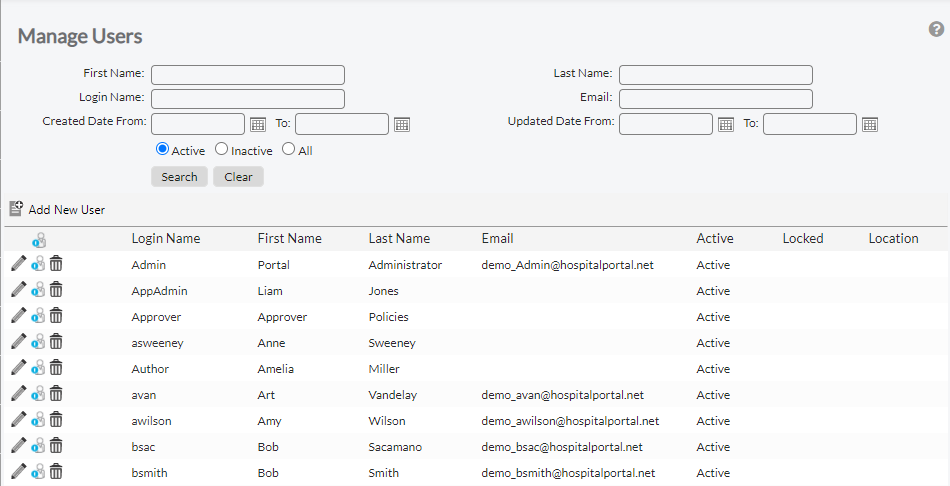
- The Manage Users Screen is displayed, with options to add, delete, or change a user’s profile.
 ) on the toolbar banner in the upper right corner.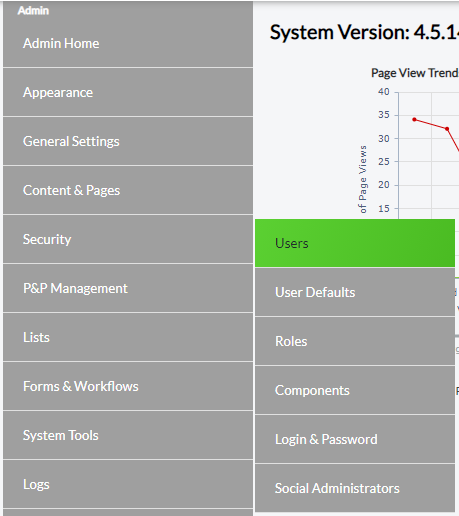
Last modified:
Jul 10, 2023
Post your comment on this topic.