

To give people the ability to create blogs, the users assigned to the [Admin – Users & Roles] security role will have to go to the Administration Menu by going to the gear icon (  ) then hover over the Security link in the left menu and select Users. This will take you to the Manage Users page.
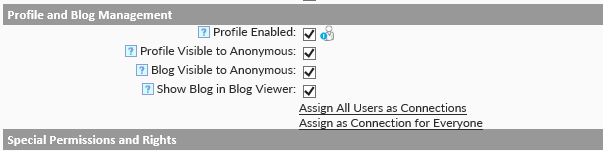
On this page click the pencil ( ) next to the user you want to enable blogs for to open their account. On the next page, scroll down to the Profile and Blog Management section and select the following:
- Profile Enabled
- Show Blog in Blog Viewer
Last modified:
Jul 10, 2023
Post your comment on this topic.