

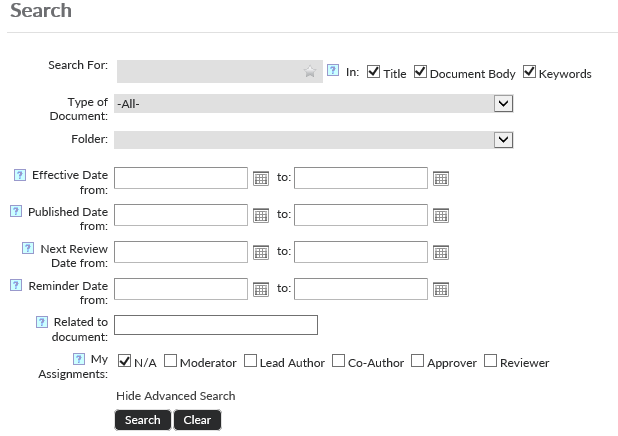
The Search page can be accessed through the homepage. This page provides a search box that can search for policies and forms in the system. This particular search will exclude anything that is not within the main Browse Policies, or Browse Forms pages. You can choose to search the title, document body, and/or keywords of the documents. You may also use the two dropdown lists to choose what kind of document (policy or form) you are trying to find as well as the folder/department they might be in.

Click on the Advanced Search link next to the “Search” and “Clear” buttons to reveal more search filters. This will give you the ability to return results with an effective date, published date, next review date, and reminder date range. Other filters such as the ability to choose to display search results of documents that you are assigned to.
Post your comment on this topic.