

This page allows for [Admin – Applications] users or someone who is listed as a Moderator of all policies or forms, to manage these two sets of documents in one place.
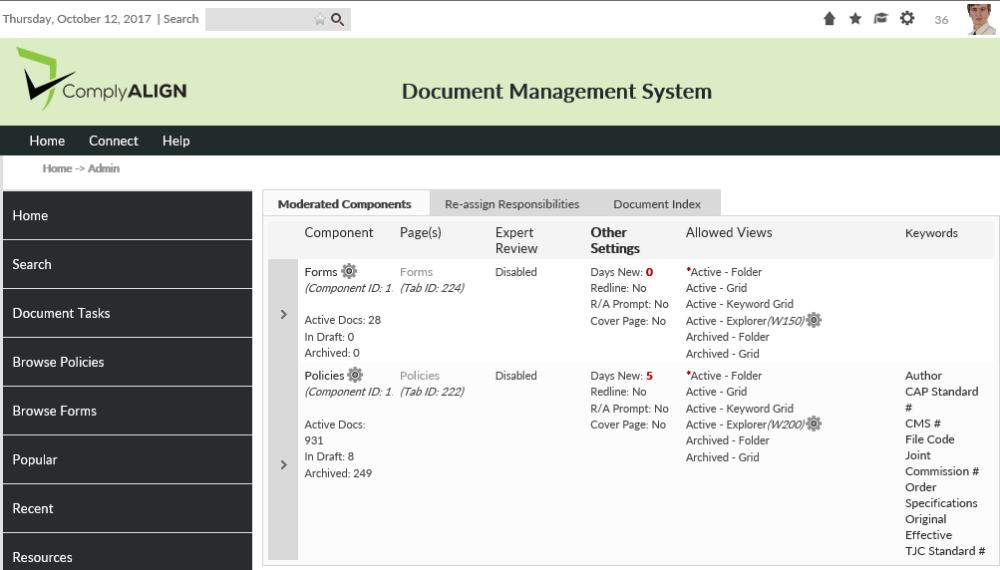
- You can also click on the arrow in the left column to access user role assignments.
- Clicking the name of the component or the gear icon (
![]() ) will take you to the P&P Setup screen. (“Bio Med P&P” in figure above)
) will take you to the P&P Setup screen. (“Bio Med P&P” in figure above) - Clicking the name of the page will take you to the page where the P&P component resides.
- Adjust Explorer view height and width by clicking on the gear under “Allowed Views” column
 ) will take you to the P&P Setup screen. (“Bio Med P&P” in figure above)
Re-assign Responsibilities
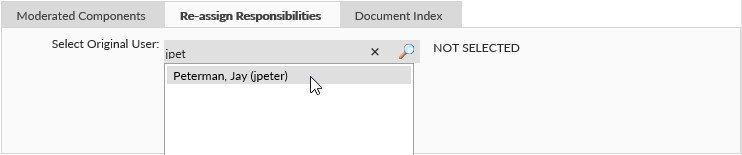
The P&P Management Console also allows you to globally edit P&P roles (Moderators, Authors, Approvals, etc.). To accomplish this, click on the Re-assign Responsibilities and start typing the name of the person you want to replace or remove. The user should show up in the dropdown as you type. Arrow down to the name or click on it to show more options.
You will then be presented with three radio buttons:
- Remove this user’s document assignments – this will remove the user from all roles that they are assigned to in all of the selected components below.
- Re-assign user’s assignments to another user – This option will display another text box where you can start typing in the name of the person you want to assign in place of the previous user.
- Duplicate this user’s assignments to another user – This option will display another text box where you can start typing in the name of the person you want to copy the selected user’s assignments.
There will be a list of different P&P Components that the person is assigned to. You can check or uncheck the components you want to update. To save changes, click on the Reassign Assignments, Remove Assignments, or Duplicate selected assignments. (depending on which option was chosen).
Policy Template (only available to [Admin – Application] users)
The P&P Management Console also allows for the upload of Policy Templates that can be used with the inline editing feature. This tab is only available to Portal Administrators. Give the template a name and an optional description. Click the upload button to upload a word document that will be the template. Click on Add Template to save your template.
Document Index
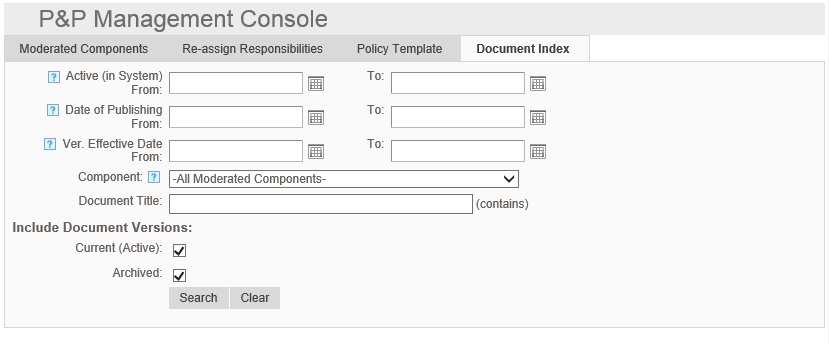
This tab allows an Administrator/Component Moderator to search for documents that were effective in a specific date range.
Post your comment on this topic.