

Administrators and Moderators can download all folders, sub-folders, and documents within a chosen document set to a zip file, eliminating the need to use the previously available Multiple File Uploader utility, or to contact support to download the documents. The document set hierarchy will be maintained in the downloaded results.
This option is available to Administrators and Moderators assigned to the document set.
- Navigate to the Policies home page
- From the home page, click the document set to be downloaded
- Open the root level folder menu (the three-bar menu to the left of the topmost folder – will be the document set name), select Download, then Download ZIP
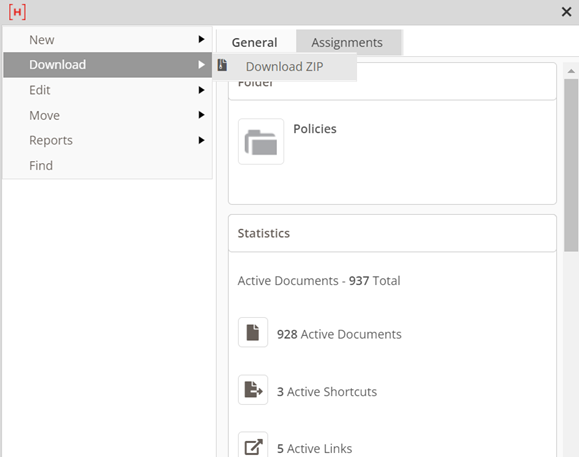
- The zip file will be downloaded to the computer
- Open the zip file and navigate to the specific folder to extract documents or click Extract all to open all folders and documents included in the download
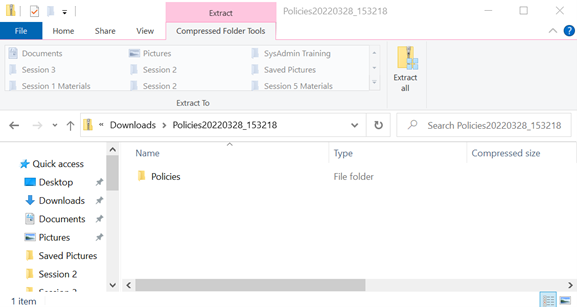
- The downloaded file includes all folders, sub-folders, and documents contained in the document set
Last modified:
Jul 10, 2023
Post your comment on this topic.