

This page allows for displaying users’ blogs. Each individual user in the system can be setup to have the ability write and display blogs on this page. People with the ability to write blogs would be users that might policy managers or department managers that want to highlight news regarding their policies, regulatory standards or visits, or any other messages that they would want to get across to the organization.
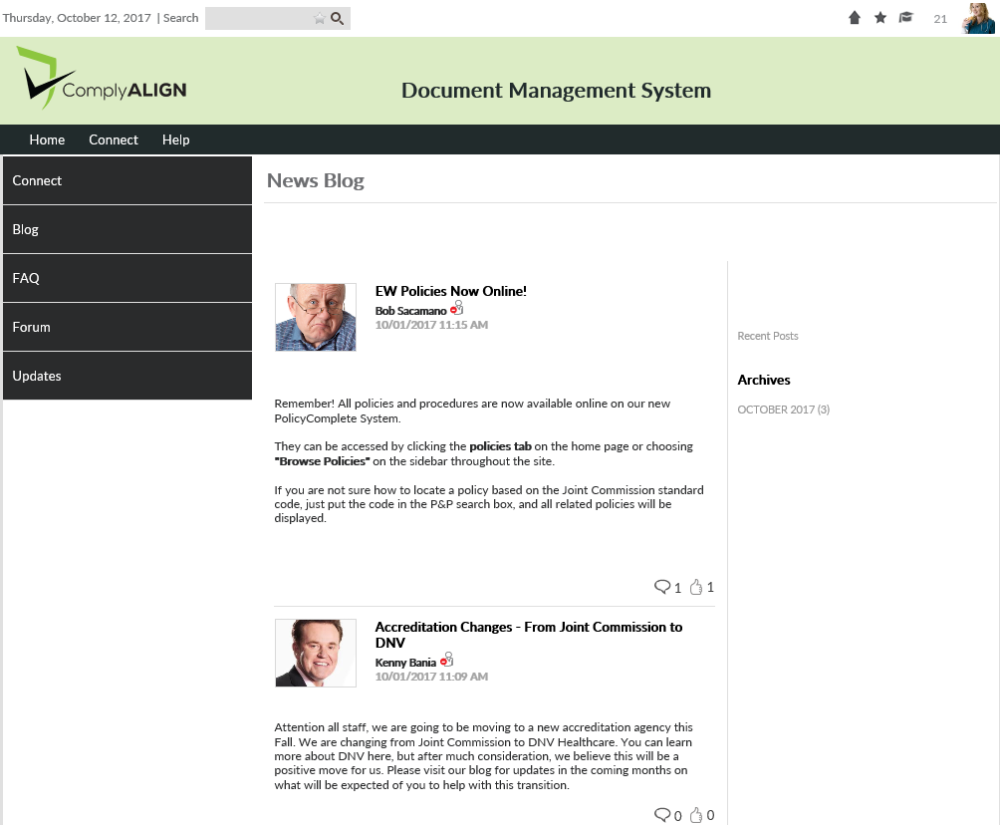
Blog Viewer Setup
Users that are in the [Editors] – Blog Configurators security role can define who’s blogs show up in on this page by going to the setup for this section of the page. The users assigned to the [Admin – Users & Roles] can assign people to this group by following the directions on this page: User Security Role Configuration Steps.
To access the setup for the Blog Viewer click on the Component Menu icon ( ) and click on the Setup link.
The first option you can select is Display Blog Viewer in Full View. Full view will show the full content of each blog post. Unchecking this checkbox will display the page in Short View. Short View allows you to only display the title, author, and a preview of the blog post (if provided) of each blog post. This is to save space on the page if there are several blog posts
The second option, Hide Navigation Pane, will hide the months of archived posts that will show to the right of the posts.
We also have an option to display the latest x number of blog posts that could also help with saving space on the page.
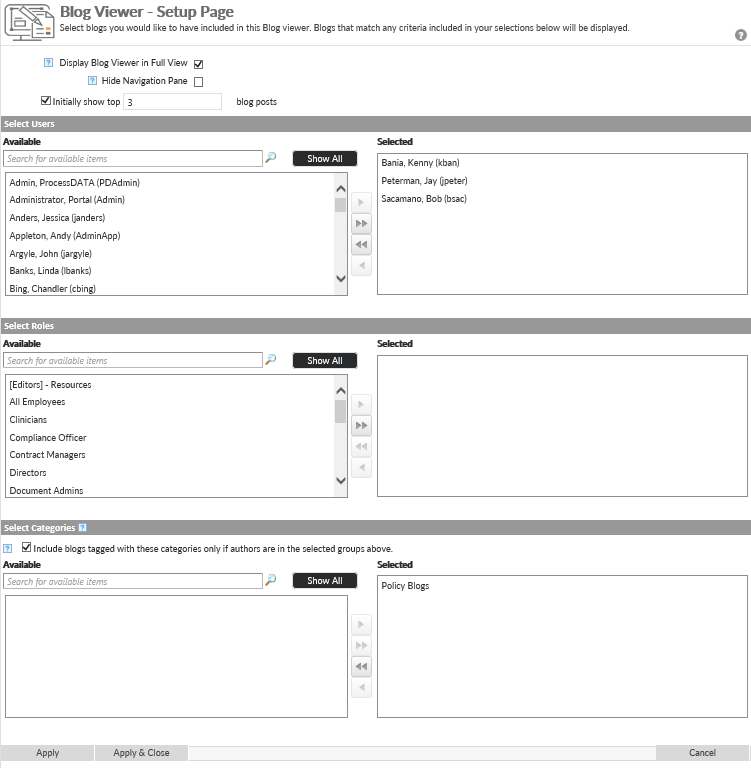
To add peoples’ blogs to the viewer, select the users from the Available column and click the  button to move the names to the Selected column. Then select Apply & Close. We have two lists where the editor can choose to include individual users or choose groups of users. They can use any combination of the two.
The blog categories portion at the bottom of the setup screen does not apply. Leave “Policy Blogs” selected.
Post your comment on this topic.