

The Forum page gives users the ability to post and view messages. All messages are organized into threads. Users that have the permissions of posting messages can start their own new threads and reply to previously posted messages. Optionally, you can configure a moderator for the Forum to approve messages before they are published to the end user. Any single forum can be searched for a specified keyword and search results will provide a link directly to the message where the searched word was found.
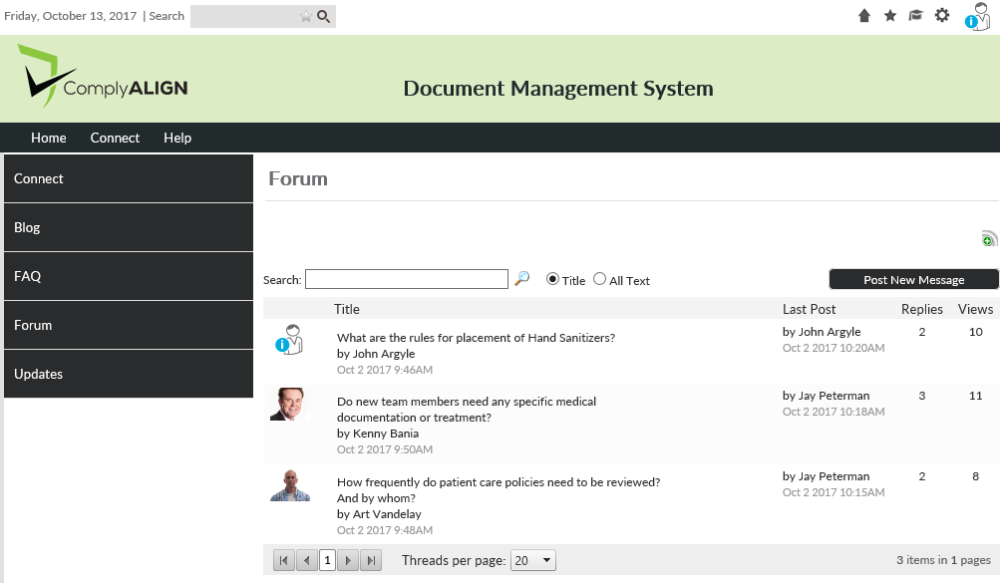
The Application Admins (members of the [Admin – Applications] security role) have the ability to create more than one Forum so that threads with different topics can be separated. For example, you can have a forum for discussing policies and another forum for discussing forms. If you only have one forum, the display on the page will look like the above. If you have more than one, the page will look like the screenshot below where a user will first have to choose which forum they want to read and/or post in.
By default, forums are sorted alphabetically. However, it is possible to sort in reverse alpha (Z to A), by total messages, or by number of posts in the last 10 days by clicking on the column titles.
Post your comment on this topic.