

There are multiple ways a P&P user will be notified that they have policy tasks to complete.
Emails
Emails are automatically get sent from are system that will notify a user of the different P&P tasks they need to accomplish. Emails can be turned off or on by going to a user’s User’s Profile or a User’s account in the Administration menu.

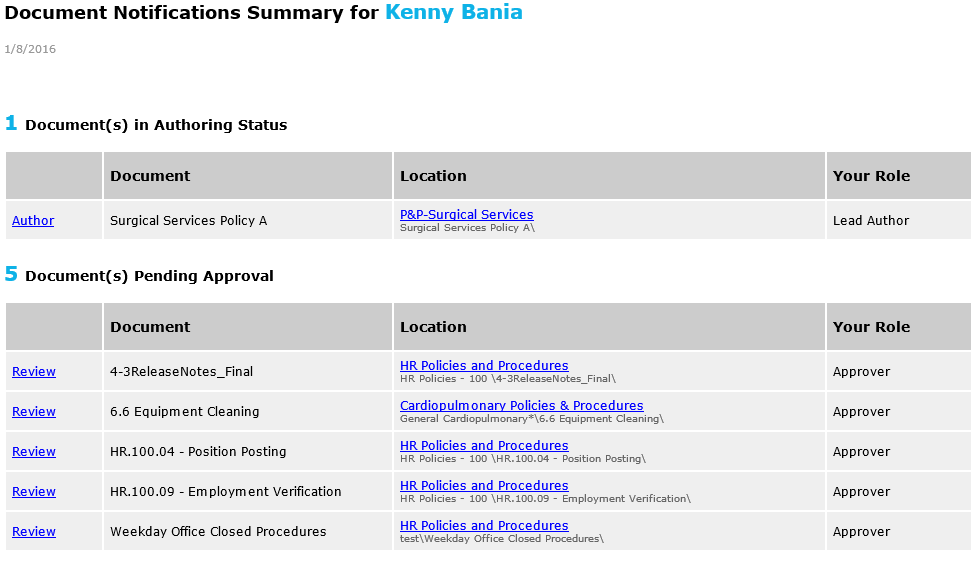
- P&P Summary Email – This email will be sent out on specified days of the week. It will show all documents the user has outstanding tasks for, split up into stages of the approval process (Authoring, Expert Review, Publishing, etc.). Next to each item, there is a link the user can click on that will take them to the action window that they need.
![]()
- Policy Task Emails – Once a document moves to a stage in the revision process to which a user is a assigned, the user gets an email. The email includes a link to the P&P control panel where they can act on the policy.
- Collaboration notes updates on authored documents – This is an email that will go out to authors whenever someone leaves a comment in the Draft Screen during the revision process.
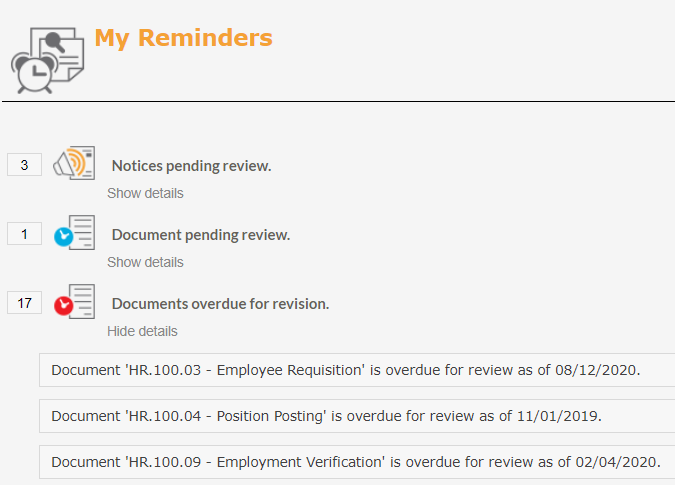
My Reminders
Reminders are accessed by clicking the red box to the left of the user avatar in the banner, or by selecting My Reminders from the user drop down menu. Users will see specific reminders for each step of the workflow process that the user is assigned to and that they have documents waiting their action. The users will click Show Details beneath each reminder to see what documents need their action, then click on the link to the left to display the appropriate action window.
Post your comment on this topic.