

Social administrators are designated users or groups of users that will be notified about flagged comments. Social administrators will be able to in-flag, edit or delete any comments in the system.
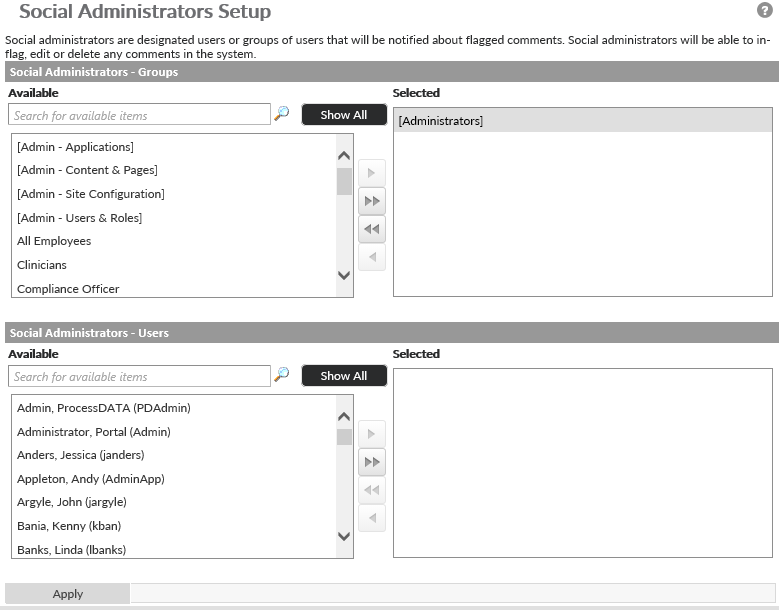
To assign Social Administrators first navigate to the Social Administrators screen by click on the Administration Gear (  ) in the upper right corner of the page and hover over Security to find the link for Social Administrators.
You will see two list selectors. One to select roles, and the other to select individual users. To select users/roles, highlight the users/roles you want to add as Social Administrators from the Available list and uses the ( ) to move them to the Selected list.
Last modified:
Jul 10, 2023
Post your comment on this topic.