

Much like the Folder Settings screen, the Document Settings screen allows you to configure the specific users (contributors) for the individual document. In addition, the Document Settings screen also allows for configuring Related Documents. A related document is another document in the same or separate P&P component that users should be able to easily reference when viewing the current document (example: a related document could be a supporting procedure for a policy).
To set up a related document, open the Document Settings screen and select the Related Document tab as shown below:
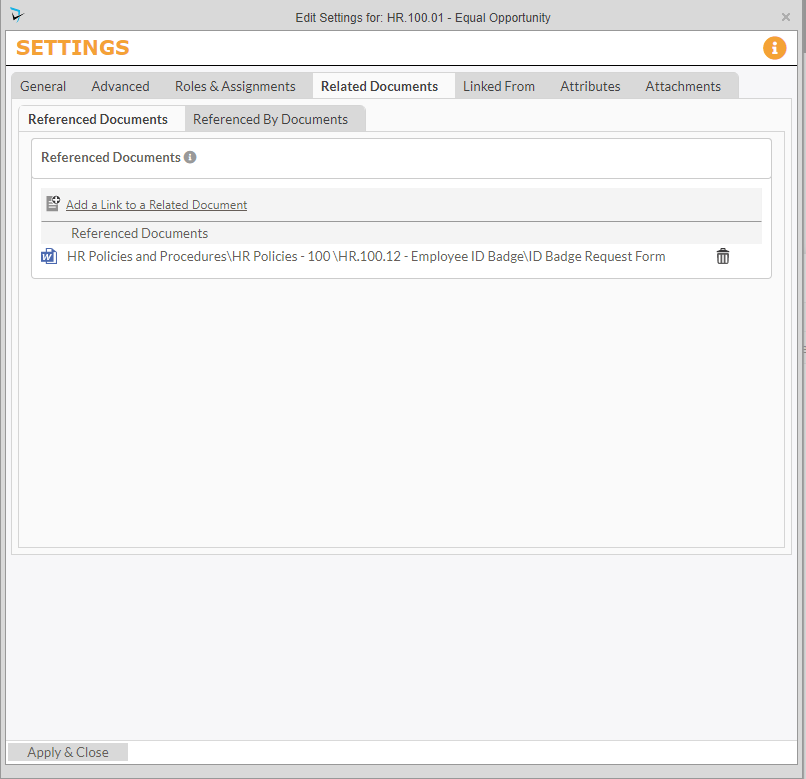
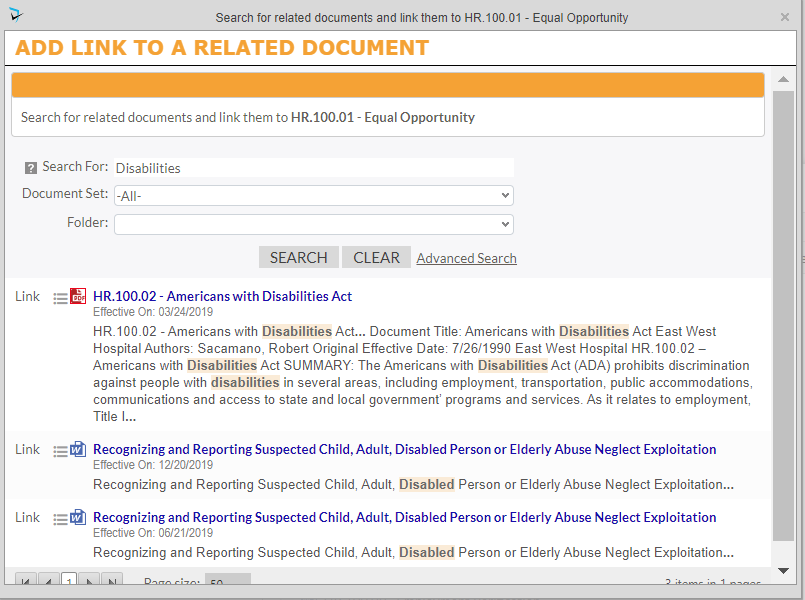
On this tab, click on the Add a Link to a Related Document. This will launch another popup with a search field where you can search for the document you want to attach. Once you click search you will be provided with a list of search results. You can then click on Link next to the related document.
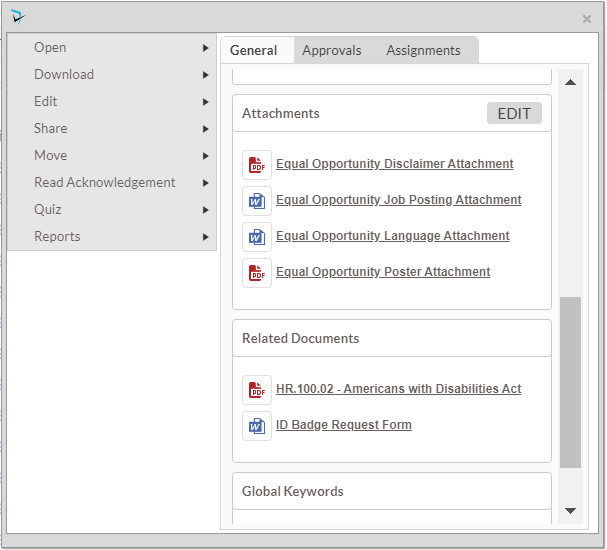
Once the Related Documents are configured, they will be displayed on the Info Card. They can be accessed by clicking the link displayed on the Info Card.
Post your comment on this topic.