

This page in the Administration Menu can be accessed by the Administrator, Admin-Content & Pages, and Admin-Users & Roles security roles. This is where members of these groups can choose view and/or edit permissions system wide to the specified security roles. Specifying view or edit permissions will apply these permissions to all components no matter where they are placed in the system.
When first clicking on the Component link in the Administration Menu under Security, you’ll see the following scree that lists the available components for your system’s setup.
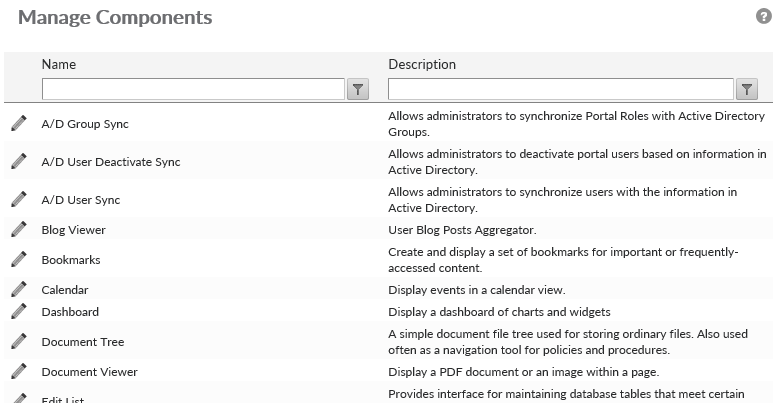
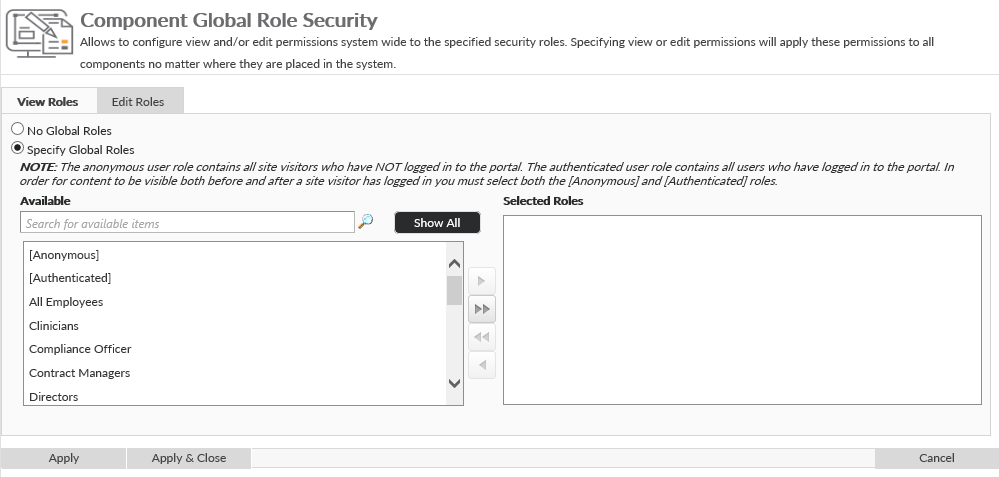
Clicking on the Pencil icon ( ) will display a screen where you can choose to specify spefic user roles for view or edit rights. Both the View and Edit defaults to have no global roles selected. To select roles, click on the Specify Global Roles radio button. A list selector will display where one can choose to highlight on or more users in the Available list of security roles and use the right arrow (
 ) to move them to the selected list.
Post your comment on this topic.