

The P&P module allows for defining keywords that can be specified for folders and documents. Keywords are additional descriptors that moderators and authors may want to attach to their documents to simplify searches or provide additional information about the document. For example, a keyword could be set up to store the policy number, a Joint Commission standard, or the original effective date for a document.
There are 2 types of keywords that can be defined in the P&P Component:
- Global Keywords
- Local Keywords
Global Keywords can only be created via the P&P Setup screen and applied to all documents within the component. The Global Keyword can be set to be required or optional. If the keyword is set as required, any document created in the system will need to be provided with a value for the keyword. If the Global Keyword is set as optional, document moderators will not need to provide the value for the keyword.
The Local Keywords can only be set up on the document level and are applicable to that specific document only.
To configure Global Keywords, open the P&P Setup screen and select the Attributes tab.
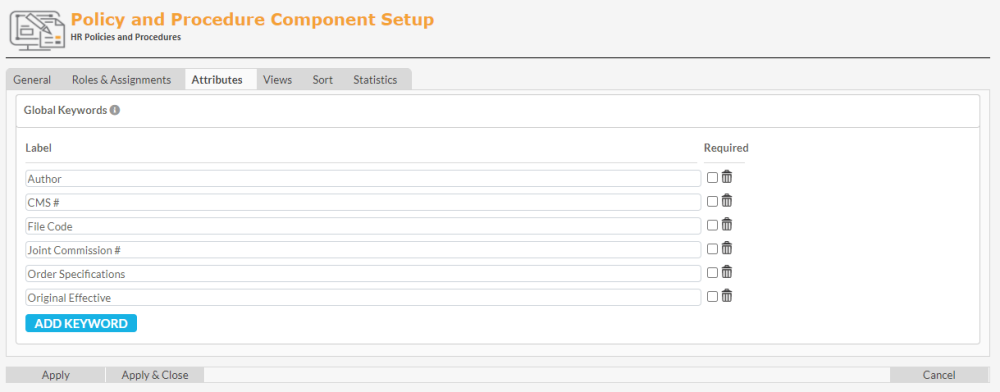
Click the Add Keyword link in the Global Keywords section and specify the Label for your new keyword. If the keyword is to be required click the Required checkbox. To remove any keywords, click the trash can icon to the right of the keyword entry.
To specify the value for the Global Keyword on the document level, click on the Document Menu ( ) for the document and select Edit, then Settings. In the Document Settings screen type in the Value for the Global Keyword.
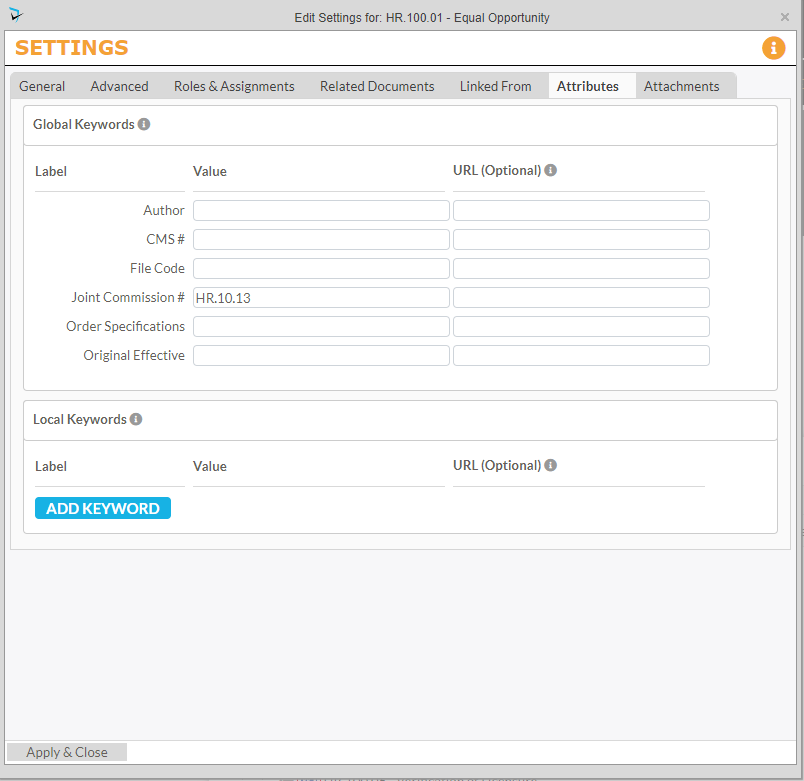
To define a Local Keyword, Click the Add Keyword button and provide both the Label and the Value for the keyword. Defining a URL is also optional if you want users to be click on the keyword in the Document Menu to redirect them to a website.
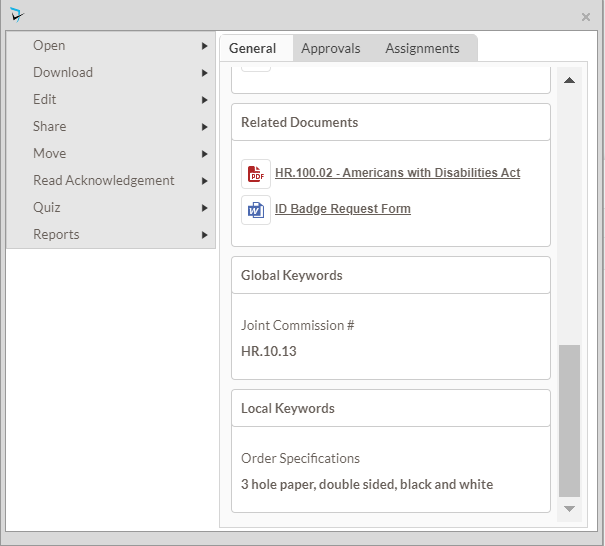
The keywords’ values will display on the document Info Card.
Post your comment on this topic.