

To add a new user, administrators will click the Add New User link on the Manage Users screen. The Manage User screen is displayed.
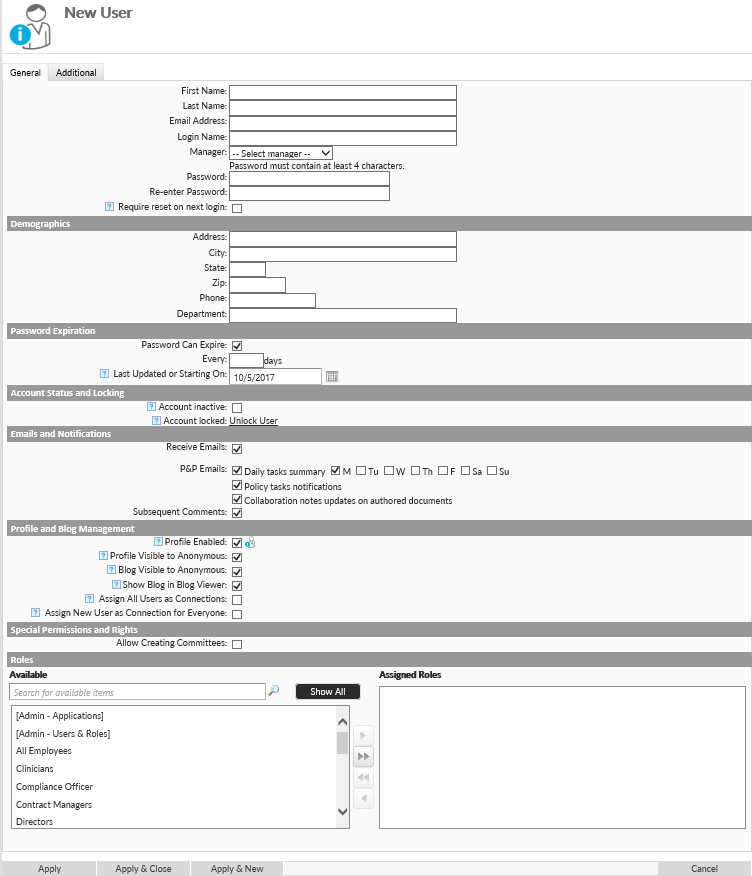
- Enter User Information (Logins must be unique).
- Specify Password
- Select any roles that this person should be a part of (Only needed when roles are not synced with Active Directory)
- Press Apply to save your changes.
More information on other user options can be found in the next article, Changing a User Account.
Last modified:
Jul 10, 2023
Post your comment on this topic.