

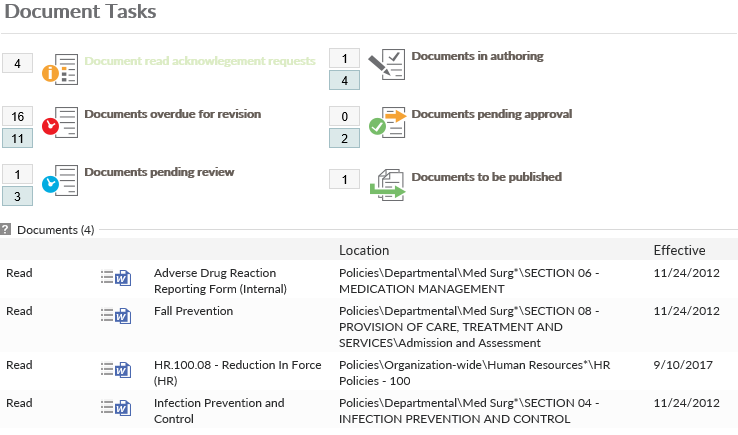
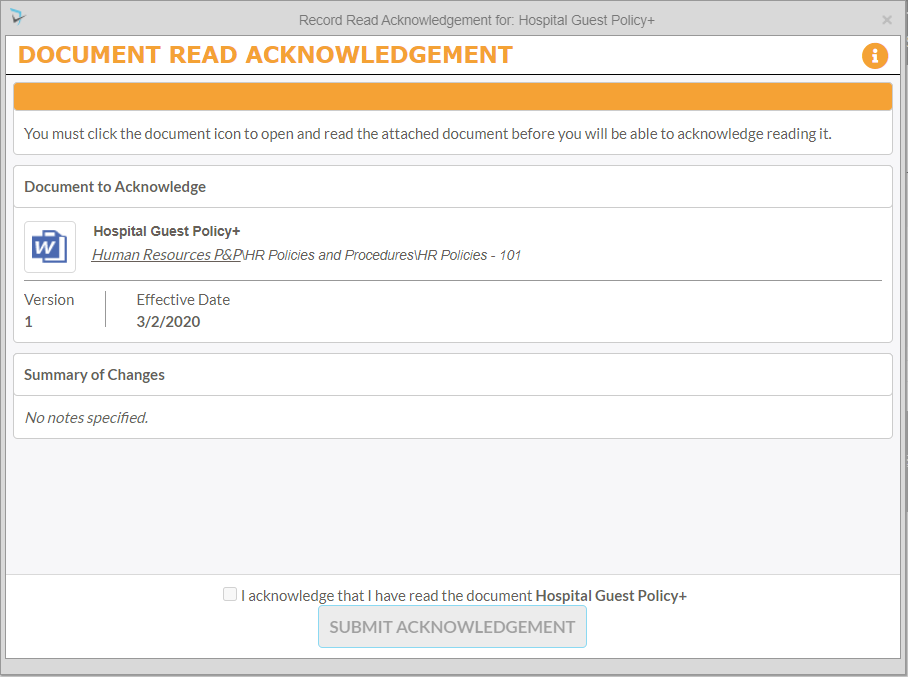
When users are configured to acknowledge documents, they will receive a Read Acknowledgement Email and a Read Acknowledgement Reminder that will link to the Control Panel Pending Read section. From there users will select the Read link for the document, which will display the Read Acknowledgement screen. Here, the users must open the document prior to submitting the read acknowledgement. After viewing the document, users will check the box indicating their acknowledgement and click Submit Acknowledgement Users may also click on the Document Menu where they are a Policy Reader and choose the Acknowledge link to access the Read Acknowledgement screen.
Control Panel
Read Acknowledgement Screen
Last modified:
Jul 10, 2023
Post your comment on this topic.