

On the Manage P&P Committees page you can :
- Add New Committee by clicking on the Add New P&P Committee button (
![]() )
)
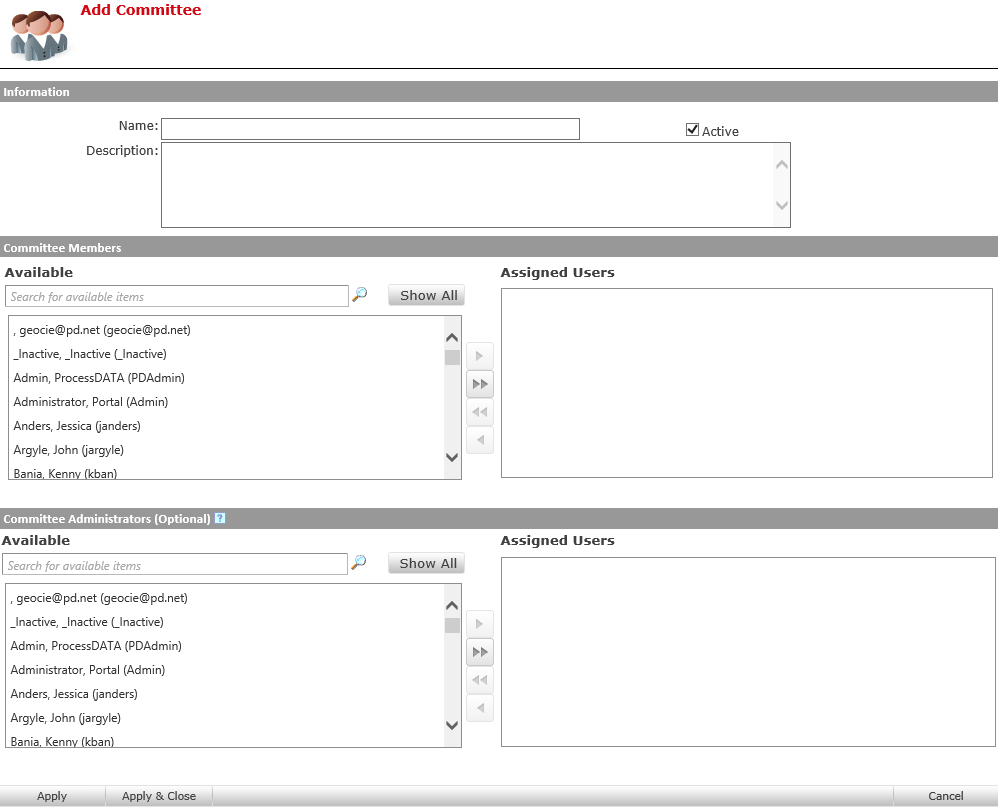
- On the “Add Committee” screen, give the committee a name and optionally, give a description
- In the next section, add committee members. These are the people that will approve policies on behalf of the committee.
- You may also add a Committee administrator. This person will be able to add or remove members when signed in.
 )
)
- Delete a Committee by selecting the committee you wish to delete and clicking on the Delete Selected P&P Committee button (
![]() )
) - Edit a Committee by clicking on the pencil next to the Committee name (
![]() )
)
 )
) )
)
Last modified:
Jul 10, 2023
Post your comment on this topic.