

Moderators may send email notifications to all Policy Readers for a given document to notify them of the read acknowledgement. The email notification contains the name of the document to be read, the path to the document, and a hyperlink back to the Read Acknowledgement Screen. To manually send Read Acknowledgement email notifications:
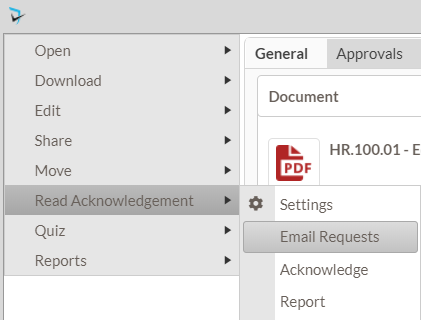
- As Moderator, click on the Document Menu to the left of the policy for which you would like to send the emails.
- Select Read Acknowledgement, then Email Requests
Document Menu (Moderator)
Last modified:
Apr 24, 2024
Post your comment on this topic.