

User Profiles are disabled by default. To turn on User Profiles, you have to go to Users from the Administration menu under the Security section and click on the pencil icon ( ) to the left of user’s login name.
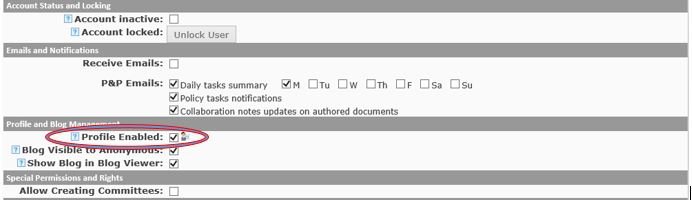
On the “Manage User” screen, there will be boxes to enable blogs and User Profiles. Check these boxes to allow users to edit, view and share user profiles and blogs.
Last modified:
Jul 10, 2023
Post your comment on this topic.